
To edit an AI draft into your own literature review, check each key claim against its source, rebuild the paragraph around your argument, and keep citations attached to the statements they support. Accept revisions only when they preserve the evidence. Then reopen each citation and check the relevant passage.
TL;DR
Give each paragraph a clear purpose and rebuild it around your argument.
Check reference details separately from whether the paper supports your claim.
Keep citations attached to their claims and recheck them after editing.
Review AnswerThis’s suggested revisions against the sources before accepting them.
Your draft becomes yours through decisions you can explain, not through changing enough words. AnswerThis supports paragraph revisions and citation checks while you remain responsible for reading the sources and deciding what stays.
What should you prepare before editing an AI draft?
Start with your research question, the draft and access to the cited papers. Keep the sources open while you edit, rather than treating reference checking as a final formatting task.
Before changing a paragraph, write down its job. Does the paragraph define a concept, compare findings, explain a disagreement or establish a limitation? If you cannot name its purpose, decide whether it belongs in the review at all.
For help with the larger structure, see What a good literature review actually looks like. You do not need that post to begin. Choose a paragraph whose purpose you can state, then work through the checks below.
How do you check AI-generated claims against sources?
Check the reference and the claim separately. A real paper with correct publication details can still be the wrong evidence for your sentence.

Confirm that the reference identifies a real work
Compare the title, authors, year and publication details with the publication record. Resolve discrepancies before relying on the reference.
The AnswerThis free reference checker checks reference details against Crossref, the AnswerThis search index and PubMed, and flags metadata mismatches and recorded retractions. It does not check whether a paper supports your sentence. Treat that as a separate reading task.
Walters and Wilder’s 2023 study in Scientific Reports examined 636 citations in 84 papers generated by ChatGPT-3.5 and ChatGPT-4 on 42 topics, finding fabricated citations in 55% and 18% of the respective models’ citations. Those figures describe that study of those models, not current models, other tools or AnswerThis.
Read the passage that supports the claim
Open the paper and locate the relevant evidence. Check the population, method, outcome and limitations against the sentence you intend to keep.
For each key claim, ask:
Does the paper report this finding, or only discuss it as a possibility?
Does the sentence describe the same population and setting?
Does the wording preserve uncertainty and limitations?
Does a claim about cause actually rest on evidence of association?
Record the supporting page, section or passage in your working notes. If you cannot find support, narrow the claim, find appropriate evidence or remove the sentence. Do not keep it because the wording sounds plausible.
How to edit an AI draft without changing the evidence
Rewrite from your understanding of the source and your paragraph’s purpose. Replacing words with synonyms does not establish that you understand the argument or that the claim is accurate.
Read the source passage, make a brief note of what it supports, and draft the sentence from that note. Then compare your wording with the source for meaning, attribution and overly close phrasing. Keep necessary technical terms rather than replacing them with less accurate alternatives.
The following examples are illustrative. Study A and Study B are fictional labels, not references to real papers.
Study A proves that the intervention works for students.
Evidence-aware revision: Study A reports improved outcomes in the student group it examined.
Reason for the change: Removes an absolute claim and keeps the finding within the studied group.
Study A and Study B show the same result.
Evidence-aware revision: Study A and Study B report similar outcomes, but use different measures.
Reason for the change: Preserves a difference that matters when comparing findings.
The intervention is effective.
Evidence-aware revision: The evidence described here does not establish effectiveness beyond the settings examined.
Reason for the change: Replaces an unsupported generalisation with a bounded interpretation.
These revisions are appropriate only if the underlying papers support them. A cautious-sounding sentence can still be inaccurate.
To paraphrase research papers responsibly, preserve who did what, what was measured and how strongly the result supports your point. Add your own synthesis by explaining why findings agree, differ or leave a question unresolved, rather than simply restating each paper.
How do you keep citations attached while editing?
Keep each citation beside the claim it supports, and recheck the connection whenever you split, combine or move sentences. Citation placement should make the evidence traceable, not merely make the paragraph look referenced.
The manual route can use a reference manager such as Zotero or Mendeley alongside your document and source notes. The guide to reference management software compares those tools and other reference managers. Whichever route you use, you still need to check the connection between a revised claim and its evidence.
A practical manual workflow is:
Note the source and supporting passage for each key claim.
Move the claim and its citation together when reorganising text.
Reinsert any citation lost during rewriting, using the intended reference.
Reopen the source after editing and confirm that it still supports the final wording.
When a sentence contains distinct claims from different papers, split it if that makes the attribution clearer. Do not move all citations to the paragraph’s end unless their scope remains unambiguous.
How to revise a literature review with AnswerThis
Use AI Writer to revise selected text, review the proposed wording, and add citations from your Library. This walkthrough follows a hands-on test in an existing literature-review document. The guide to using the AnswerThis AI editor provides further context on editing research writing.
Select text and review a paraphrase
Open your existing draft in AI Writer and select the sentence or paragraph you want to edit.
The selection toolbar includes Paraphrase, Add citation, Ask in chat and other options. Check that you have selected the intended text and can explain what it contributes to the review.
Click Paraphrase and inspect the inline suggestion.
In the tested document, removed wording appeared with red strikethrough and replacement wording appeared inline. The suggestion offered Accept, Refine and Dismiss. Compare the revision with the original and the source before making a decision. In this route, the control for declining the suggestion is Dismiss, not Reject.
Keep a revision only if it preserves the population, findings, qualifications and citation relationships. Use Accept to keep the suggestion, Refine to request a further revision, or Dismiss to decline it. Reread the resulting sentence after accepting.

Use Ask in chat when you need to specify the editing task.
With the intended text selected, request a bounded change in AI Chat. For example: “Revise only this paragraph. Tighten the wording, preserve all findings and qualifications, and keep every existing citation. Suggest the changes for review.” Click Send and inspect the proposed changes. Treat the request as an instruction, not a guarantee that every detail will be preserved.
Distinguish the Review panel from suggestion controls
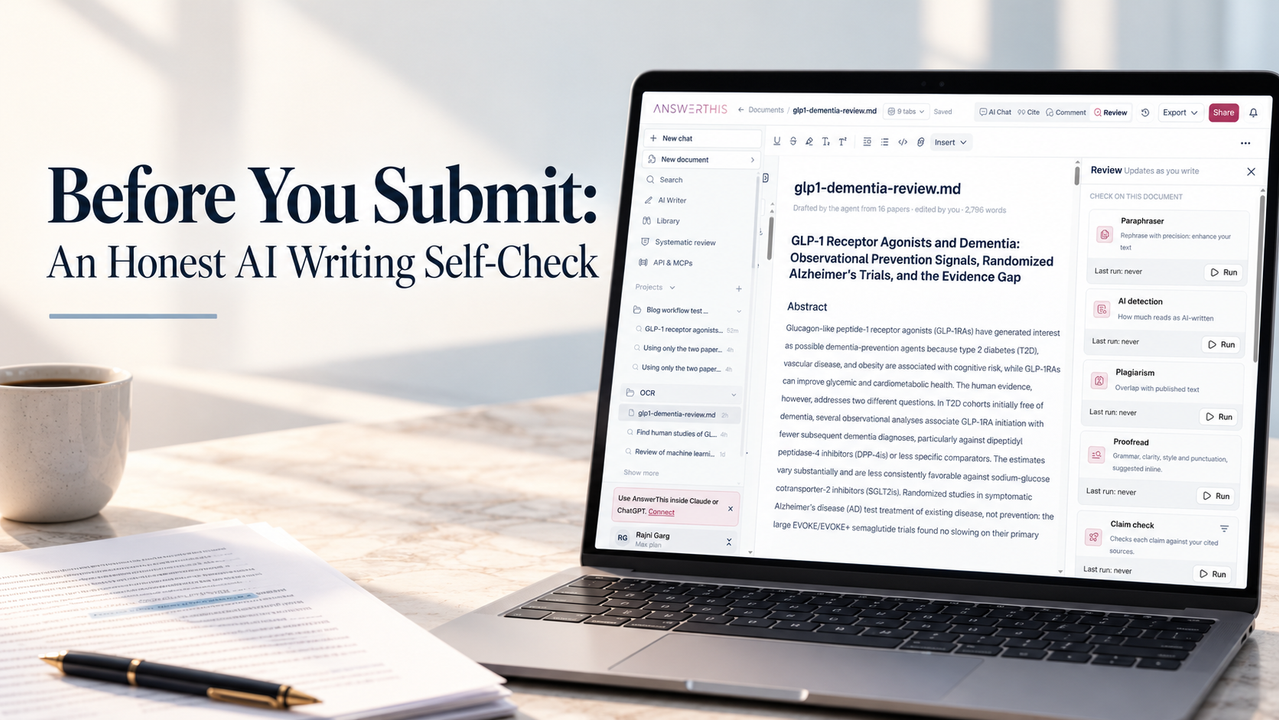
Click Review to open the document-check panel. The tested panel listed Paraphraser, AI detection, Plagiarism, Proofread, Claim check, Tone and Peer review, each with a Run button.
Opening this panel does not run those checks. The walkthrough verified that the controls were present, not the accuracy or completeness of their results. Review suggestions where they appear in the document rather than assuming that opening Review has checked your work. These tools do not replace source reading, a supervisor’s assessment or actual peer review.
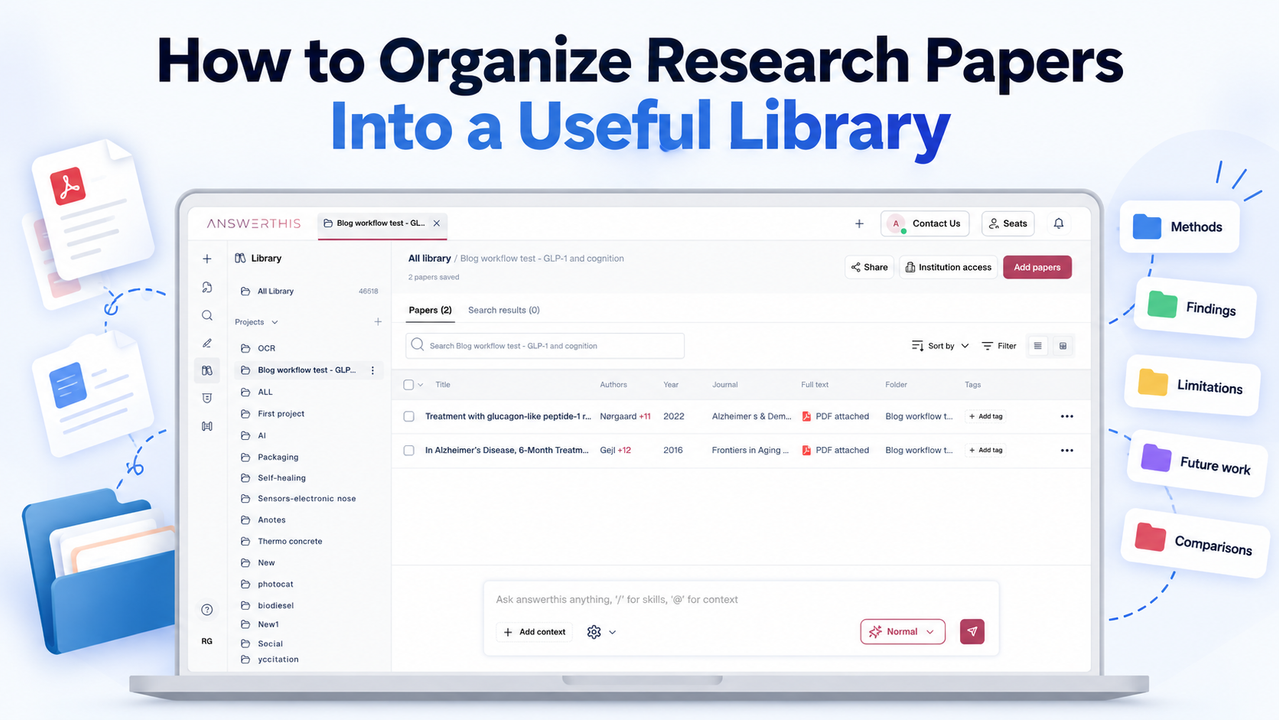
Add a citation from your Library
Read the relevant source passage and place your cursor beside the claim it supports.
Do not leave the insertion point inside an unrelated sentence. Check the insertion point before you cite, so the citation does not land mid-sentence. Citation insertion demonstrates placement, not that the selected paper supports the wording.
Click Cite in the top panel controls, then choose the Library tab.
Use the Search papers picker to choose the project, then find the paper that supports the claim.
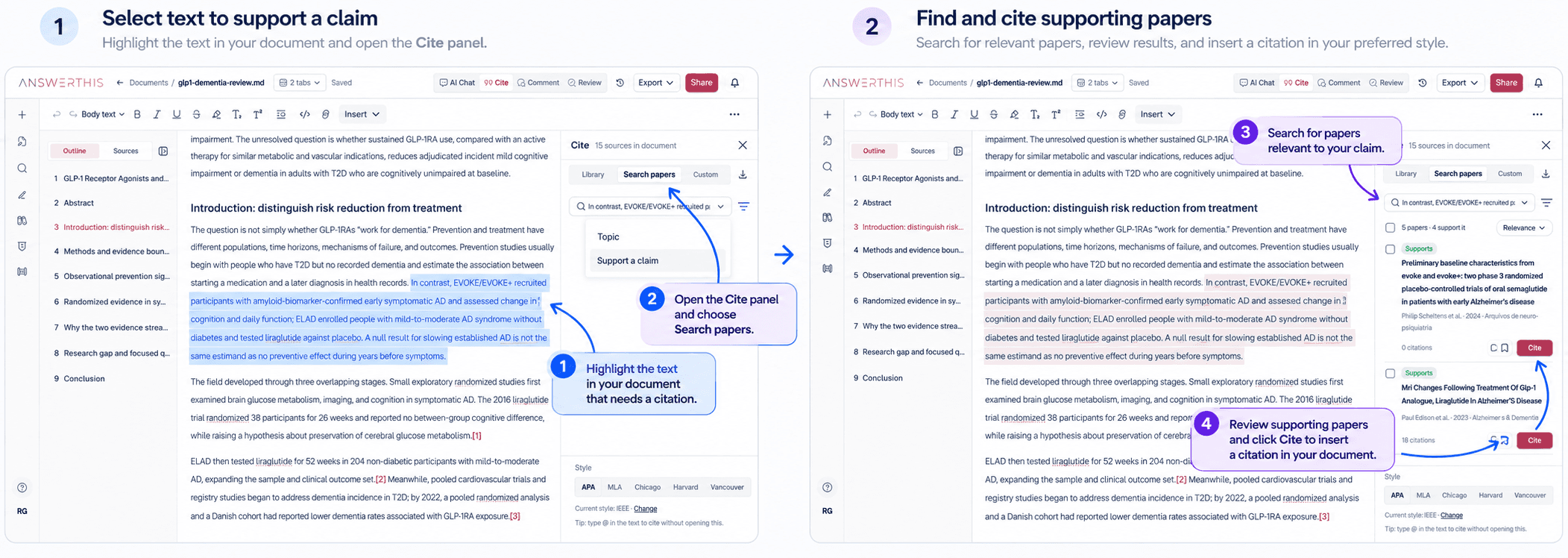
Click Cite beside the intended paper and check the inserted marker.
The tested action inserted a numbered citation in the document and displayed a confirmation with an Undo option. Check the marker’s exact position, the surrounding sentence and the reference it identifies. If the insertion point was wrong, undo the insertion and reposition the cursor before trying again. Do not remove every occurrence of a source to fix one misplaced citation.
Open the citation and verify the evidence
Click the inline citation to open Citation details. In the test, the popover showed the paper’s title, authors, publication details and an abstract excerpt, with DOI, Open and Edit details controls.
Confirm that the reference identifies the intended paper, then use Open to read the source and locate the relevant passage yourself. The citation-details popover is not a highlighted evidence passage. Opening the right paper is not the same as verifying every sentence it is cited for.
Compare the final wording with the passage in context. If the passage does not support the claim, correct the wording or choose appropriate evidence before continuing.

AnswerThis suggests, you decide. You still read and check each claim, and an attached citation is not proof that the edited sentence is supported.
What should you check before keeping the revised paragraph?
Keep the paragraph only when you can explain its purpose and evidence without relying on the AI’s explanation. Read the paragraph alongside the source passages one final time.
Use this short checklist:
The paragraph contributes to the research question.
Each key claim matches the evidence and its limitations.
Your wording reflects your understanding, with appropriate attribution.
Each citation identifies the intended source and supports the nearby claim.
You have resolved unsupported additions and unexplained changes.
The ICMJE recommendations on AI use by authors advise careful review and editing because AI-generated content can be incorrect, incomplete or biased, and hold humans responsible for submitted material involving AI. These are recommendations for medical-journal manuscripts, not rules governing every student assignment.
For the later submission-stage check, see Before you submit, the honest self-check.
FAQs
Do I need to disclose AI-assisted editing?
Check the instructions for your assignment, institution or target journal before submitting. Requirements must come from the organisation receiving your work, not from a general blog post. Keep a record of the tool used and the kind of help it provided so you can describe the process accurately if disclosure is required.
Can an AI tool be listed as an author?
For manuscripts submitted to medical journals, the International Committee of Medical Journal Editors recommends that AI tools should not be listed as authors because they cannot take responsibility for accuracy, integrity and originality. Humans remain responsible for submitted material involving AI. These recommendations are not universal rules for university coursework.
What if I cannot access the full paper?
Do not present an inaccessible passage as something you have checked. Seek access through your library or ask for help locating the paper. If you can read only the abstract, limit your wording to what the abstract actually supports and record that limitation in your working notes. Remove claims you cannot substantiate.
Should I cite the AI draft or the underlying paper?
Cite the underlying paper for research findings, after checking that it supports your statement. An AI draft is not a substitute for the evidence it describes. If you discuss the AI output itself as an object of analysis, check the citation instructions for your assignment or publication rather than treating it as research evidence.
Explore AnswerThis to work through paragraph revisions with your sources in view. Start with one paragraph, decide which changes to keep, and check the evidence again before moving on.