


Agents, Automate Your Everyday Research Tasks
Click Tools on the left. You’ll land in a gallery of mini agents that you can use: a search bar at the top if you know what you want, and tags to browse by need (e.g., Productivity, Analysis). The Featured shelf is where AnswerThis surfaces high impact helpers. Two worth opening first:
• Research Gap Finder: drop in your topic and let it propose specific, source-anchored research gaps. The output is actionable: short statements you can validate, with citations you can click. If one aligns with your argument, save those papers to a Library and send the gap summary to your Notebook as scaffolding.
• Empathy Tool: a guided, seven-stage pass over your writing that behaves like a real peer-reviewer. You paste a section, it questions clarity, evidence, scope, and reader expectations one stage at a time. Treat it like pre-submission friction: fix the issues as you go, and your real reviewers will spend their time on substance instead of preventable rough edges.
When you run a mini tool, you’ll see the same Source mechanics you already know (if you don’t quickly see what you can do here), citations you can click open, and a Save button to keep key papers in your Library so they’re available everywhere else (tables, follow-ups, Notebook).
Build your own mini tool (so your repeatable work is one click)
The point of this screen isn’t just to consume, it’s to package your own best moves. Click Create (top right). You’ll fill out a short, important form.
Name and visibility first. Use a name that telegraphs the job it does. Keep it Private for your team until you like the outputs; you can make it public later if it’s broadly useful.
Write two descriptions. A crisp one liner that tells users, or yourself, what it does, and a detailed description that describes exactly what the tool sets out to do.
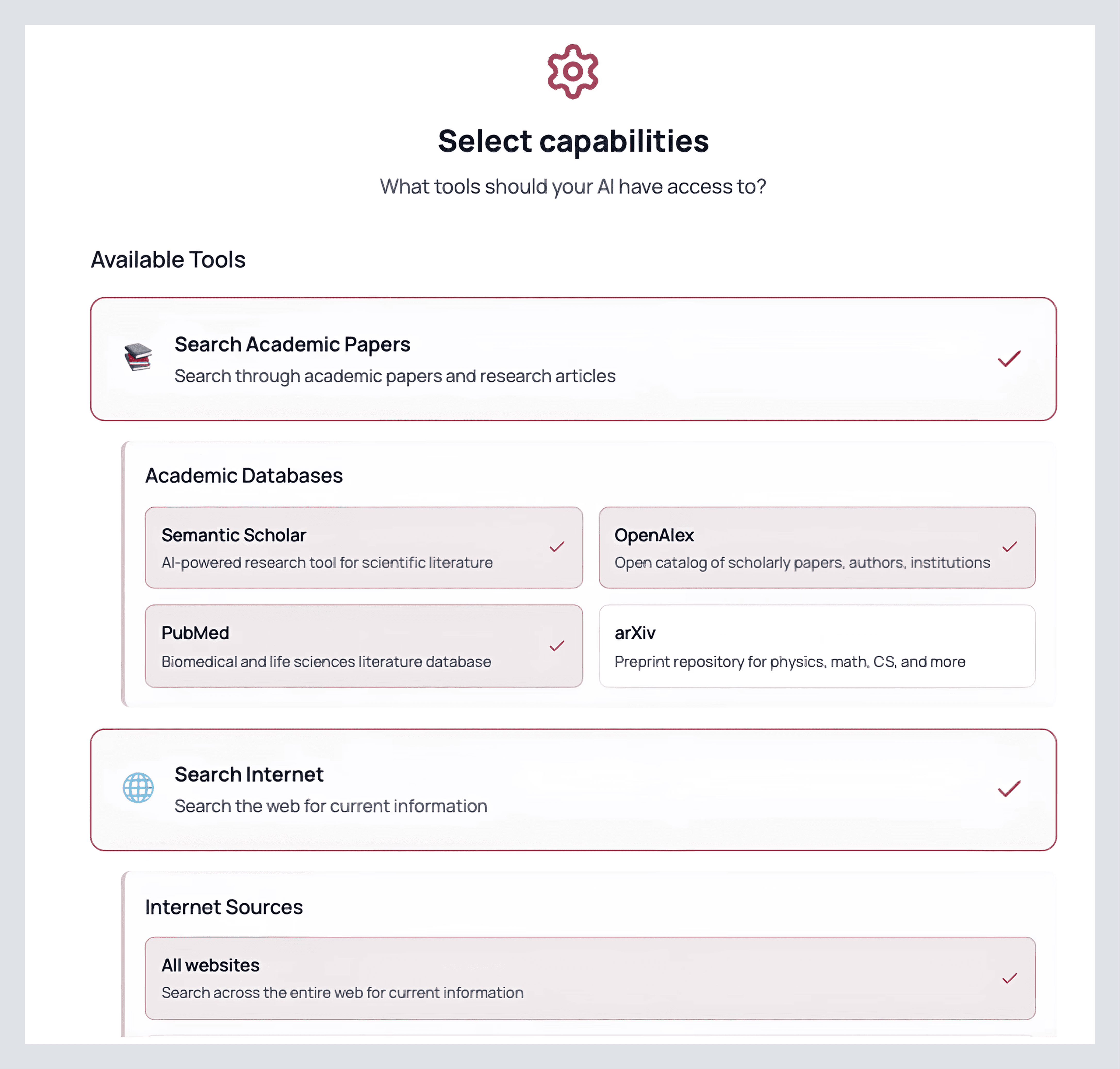
Define what it’s allowed to look at. Pick your academic databases (OpenAlex, Semantic Scholar, PubMed, arXiv) and whether the web is in-bounds (you can scope to .edu or .gov only if that’s your bar). If the tool should operate on your own corpus, upload PDFs, or connect a Library so it stays inside your set.
After you press continue, give it a system prompt that defines exactly what you want. Don’t be coy; explain tone, boundaries, and failure modes. You’ll find a template premade for you so you can brainstorm how you’d like to tweak the model.
Review once, then click Create. AnswerThis gives your tool a landing page with a simple input box and the sources it can use. Run it on a real prompt. If anything feels off, too many older papers, methods missing a column, edit the tool, tighten the description or system prompt, and run again. When you’re happy, invite teammates from the same screen so they can use it without touching your settings.
Look at the one I made!